翻译你的网站
让我们将 docs/intro.md 翻译成法语。
配置国际化
修改 docusaurus.config.js 以添加对 fr 语言环境的支持:
docusaurus.config.js
export default {
  i18n: {
    defaultLocale: 'en',
    locales: ['en', 'fr'],
  },
};
翻译文档
将 docs/intro.md 文件复制到 i18n/fr 文件夹:
mkdir -p i18n/fr/docusaurus-plugin-content-docs/current/

cp docs/intro.md i18n/fr/docusaurus-plugin-content-docs/current/intro.md
将 i18n/fr/docusaurus-plugin-content-docs/current/intro.md 翻译成法语。
启动本地化网站
在法语语言环境下启动网站:
npm run start -- --locale fr
你的本地化网站可在 http://localhost:3000/fr/ 访问,开始使用 页面已被翻译。
警告
在开发中,你一次只能使用一种语言环境。
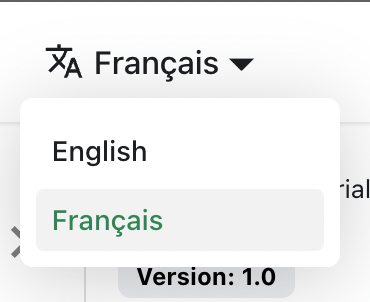
添加语言下拉菜单
为了在语言之间无缝导航,请添加语言下拉菜单。
修改 docusaurus.config.js 文件:
docusaurus.config.js
export default {
  themeConfig: {
    navbar: {
      items: [
        {
          type: 'localeDropdown',
        },
      ],
    },
  },
};
语言下拉菜单现在出现在导航栏中:
构建本地化网站
为特定语言环境构建网站:
npm run build -- --locale fr
或者构建网站以一次包含所有语言环境:
npm run build